ERP Integration
From the machine to the ERP, no typing.
Logo · SAP · Netsis · Mikro
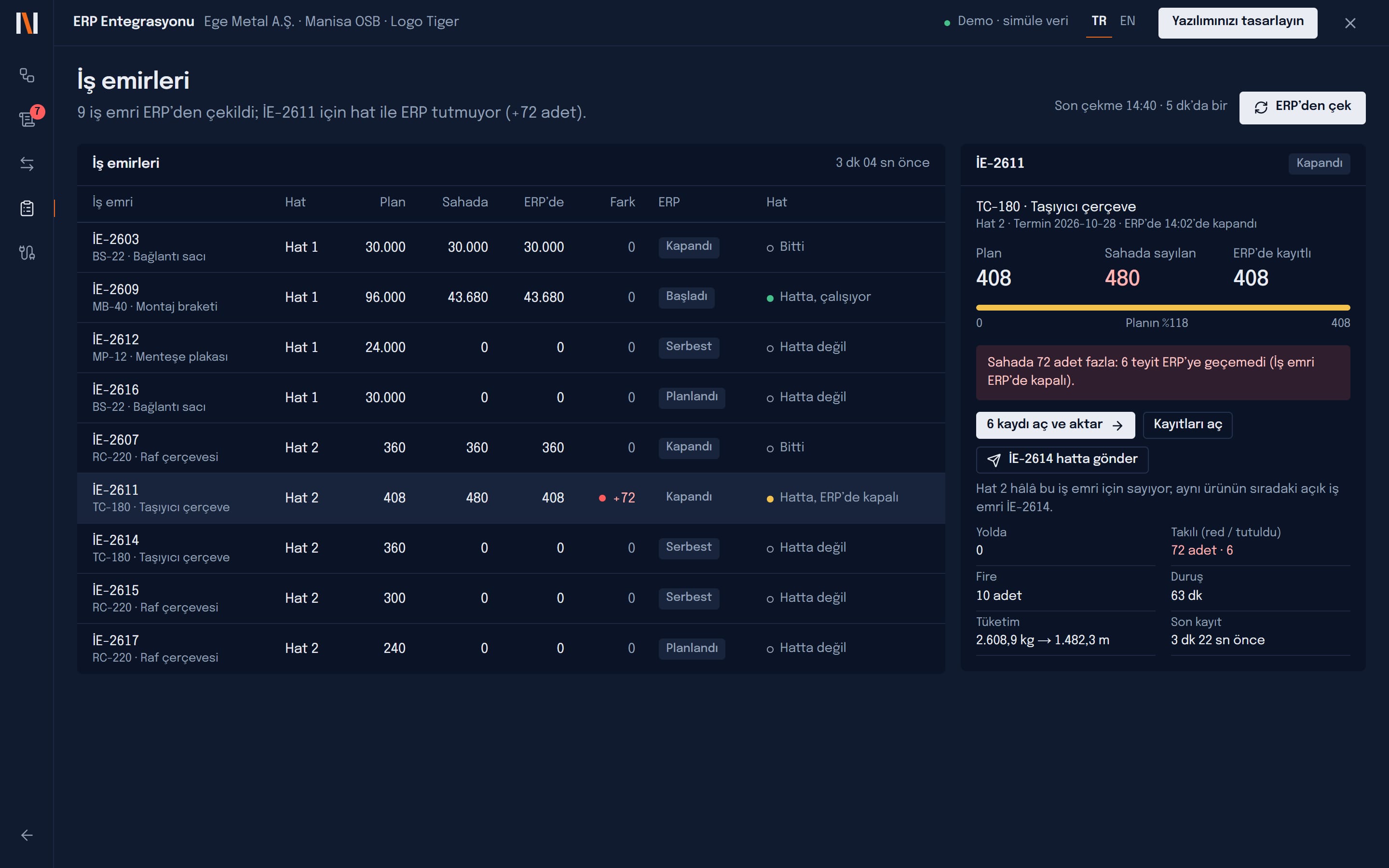
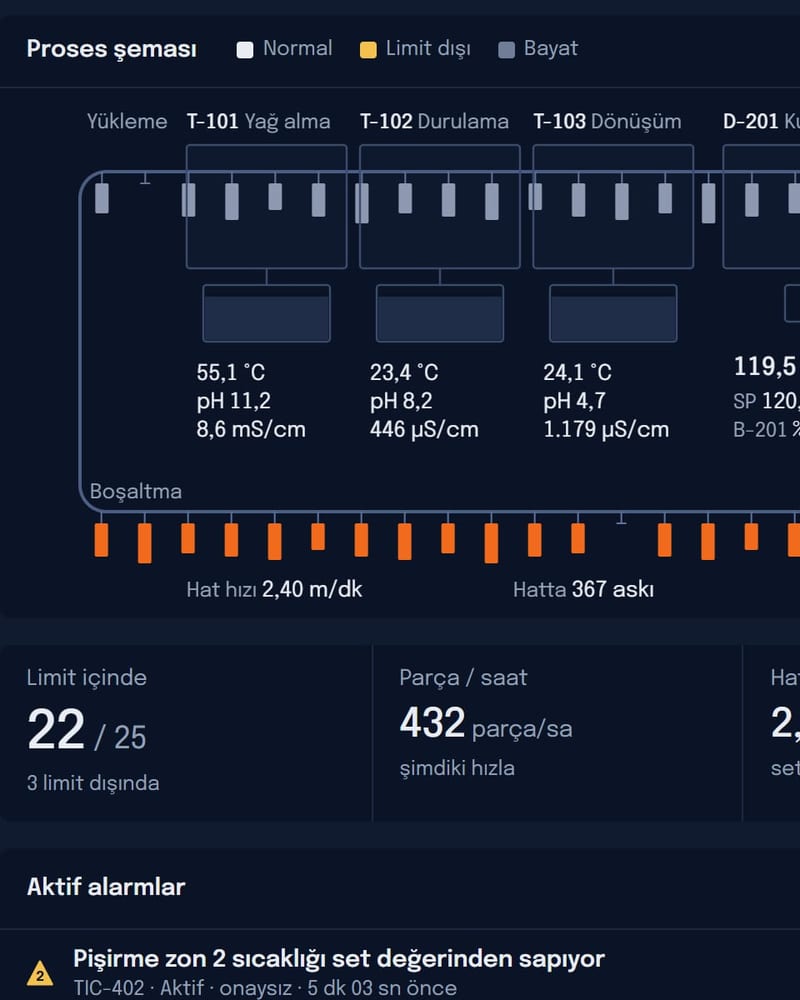
Builds the bridge between your machines and your ERP: production confirmations, consumption, scrap and downtime are checked against the work order and posted automatically; the ERP’s work orders come down to the line.
Today and after
Today: Production counts are copied from paper into the ERP at shift end.
With ERP Integration: Every record goes from the machine to the ERP within minutes.
Today: Stock and cost show the truth days later.
With ERP Integration: A record that does not fit the work order is caught before it is sent.
Today: Finding where a wrong figure came from is impossible.
With ERP Integration: Every message’s source, content and ERP answer can be traced.
What it does
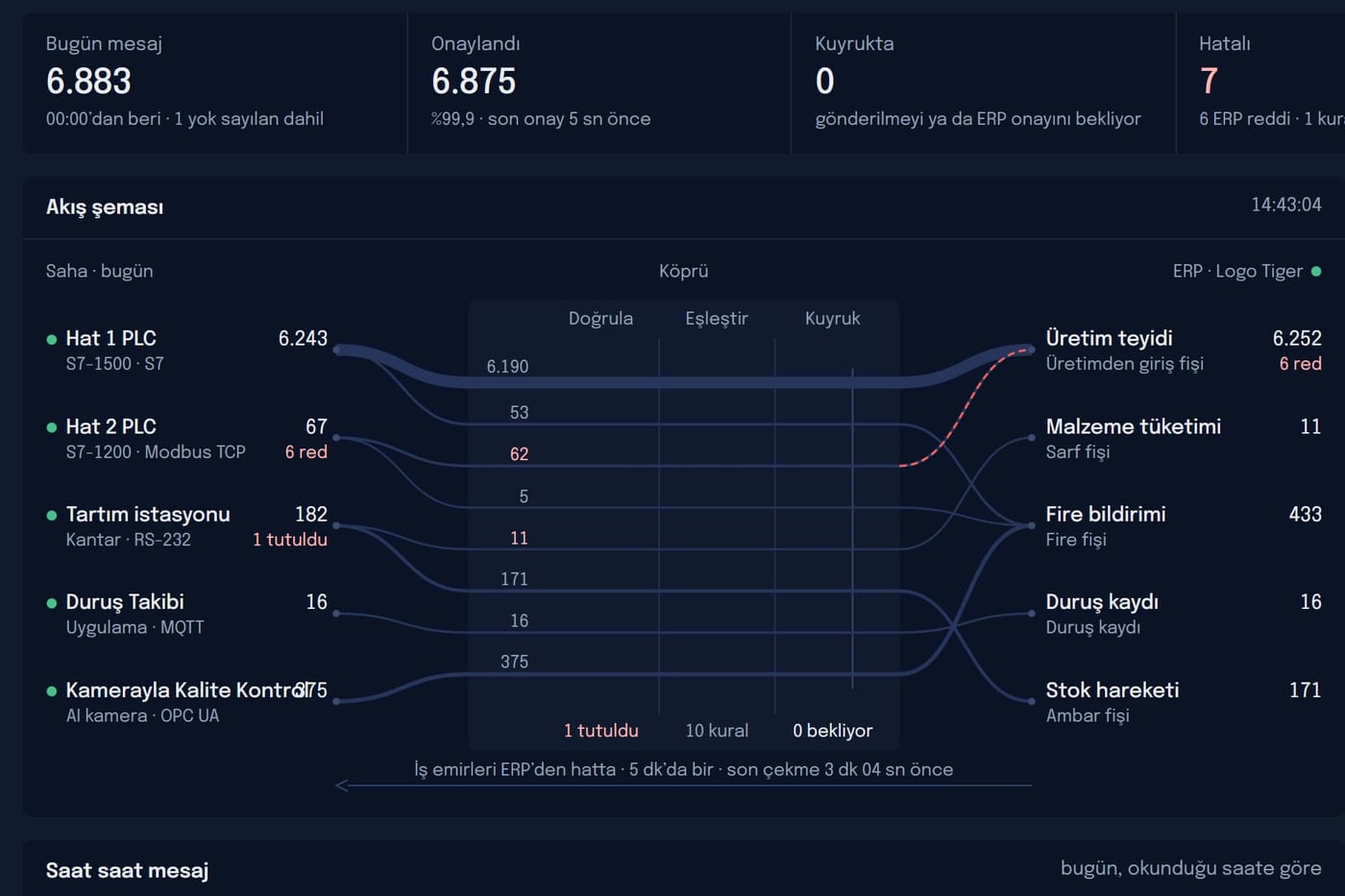
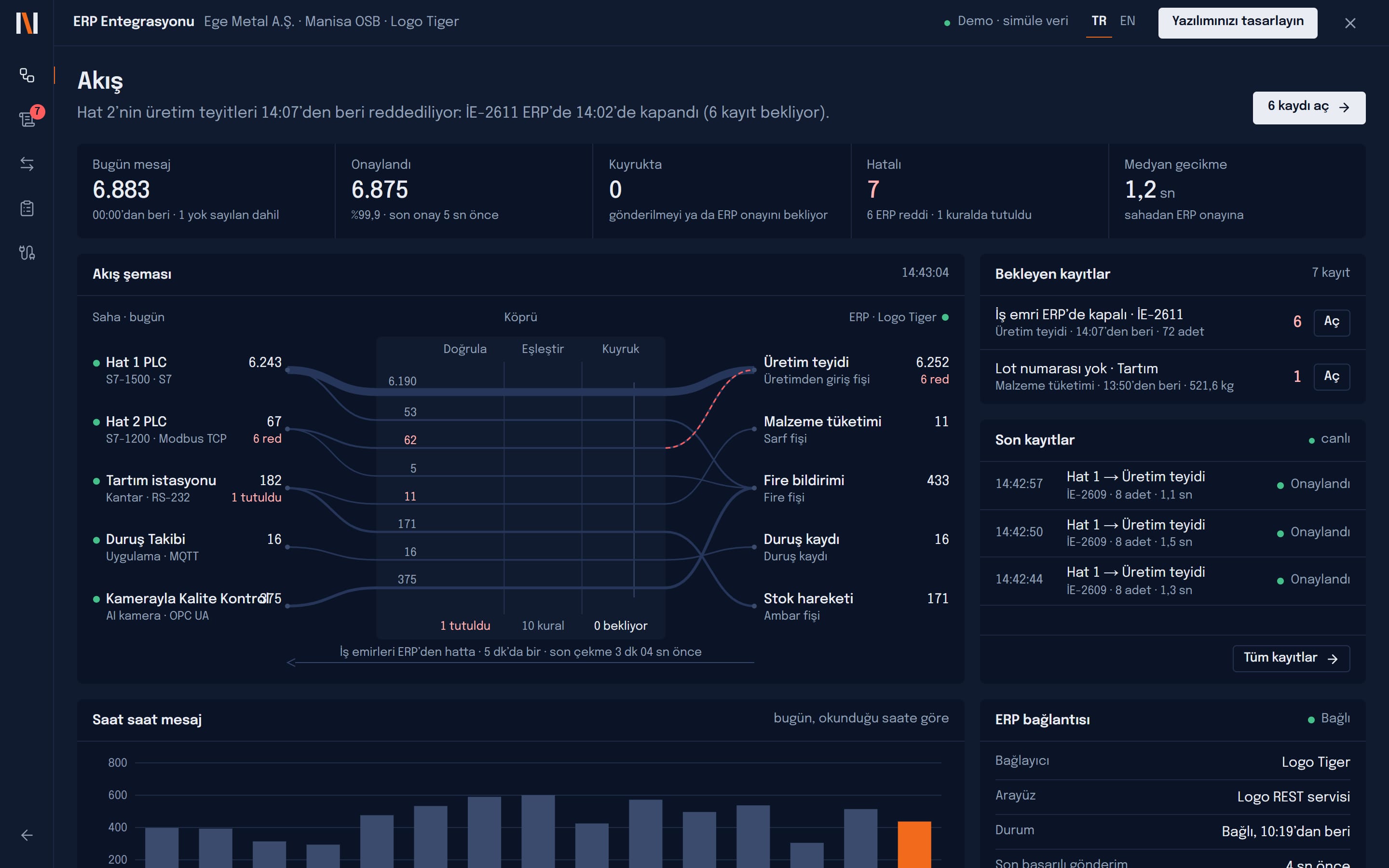
Live flow
How many records go from which source to which document, and where they stick, on one diagram.
Validation rules
Quantity cannot exceed what is left on the order, lot required, shift must be open; your rules.
Field mapping
PLC tag or app field → ERP field, with unit conversion, without code.
Queue and retry
If the ERP is unreachable, records wait and go by themselves when it is back.
Work order sync
ERP work orders come down to the line; floor and ERP counts side by side.
Full audit trail
Every message’s send time, content and ERP answer is kept.
What it connects to
- Logo Tiger
- Netsis
- Mikro
- Canias
- SAP Business One
- REST / SOAP / SQL
- Siemens S7 · Modbus · OPC UA · MQTT
- Scales (RS-232 / Ethernet)
Platforms this app is part of
A typical project
- Scope
- 2–6 data sources, 3–6 ERP document types, validation rules and work order sync.
- Duration
- 4–8 weeks
The demo runs entirely in your browser on simulated data. Let us talk about how it would look on your own line.